Build SMS, Email, and Web Notification Templates
DriveMetaData (DMD) provides dedicated editors for creating SMS, Email, and Web Notification templates.
SMS Templates
SMS templates allow you to send high-priority text messages directly to mobile subscribers.
Creating an SMS Template
- Navigate to
/templatesand ensure the SMS tab is selected. - Click Create Template (or launch
/templatesmodal). - Enter template details:
- Template Name: Descriptive identifier for workspace users.
- Category: Promotional, Transactional, or Lifecycle.
- Message Body: Enter message text.
- Insert dynamic variables by choosing from the variable dropdown or typing
{{attribute_name}}(e.g.,{{first_name}},{{points_balance}}). - Observe character counters:
- Standard GSM 7-bit encoding allows 160 characters per SMS segment.
- Unicode encoding (emojis, special characters) limits segment size to 70 characters.
- Use Send Test SMS to dispatch a test payload to your verified phone number.
- Click Save Template.
Email Templates
Email templates support rich formatting, HTML code, Base64 encoding, subject line personalization, and responsive layout previews.
Creating an Email Template
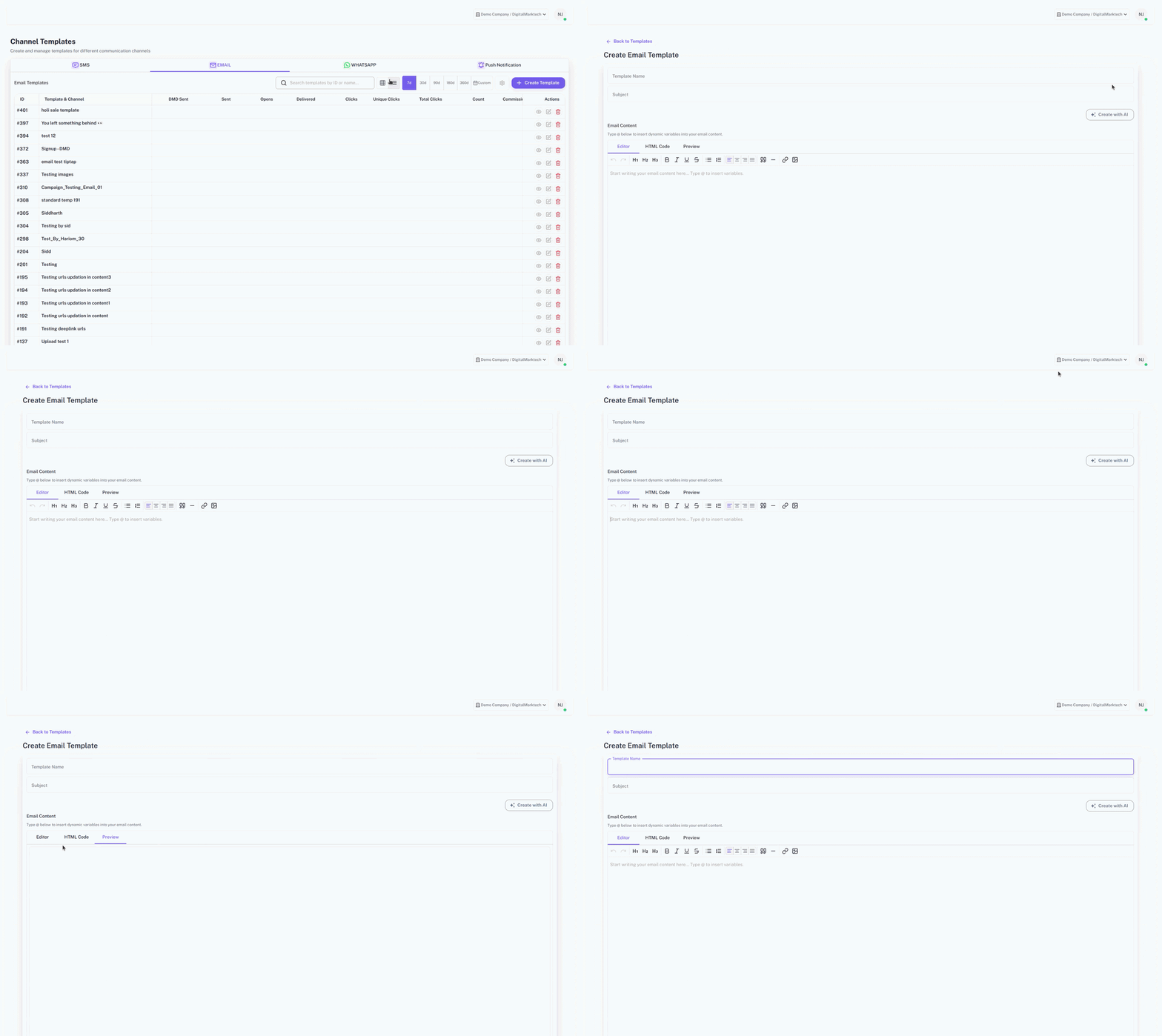
- Navigate to
/templatesand select the Email tab. - Click Create Template to open the full-screen email editor at
/templates/email/create. - Configure core email headers:
- Template Name: Internal reference name.
- Subject Line: The email subject visible in inbox clients. Supports dynamic variables (e.g.,
Special offer for {{first_name}}!). - Preheader / Preview Text: Short text summary shown next to the subject line in email clients.
- Sender Name & Reply-To Email: Configure verified domain sending headers.
HTML Content Editor
- Switch between Visual Editor and HTML / Code Editor.
- Base64 encoding is applied automatically upon saving to ensure special characters and markup remain intact during storage and transit.
- Include custom CSS styles and responsive layout wrappers.
Preview and Test Dispatch
- Use the Desktop / Mobile Toggle in the preview panel to inspect layout responsiveness.
- Send a test email to admin recipients before approving the template for campaign use.
QA Checklist
- SMS message length is checked for segment count limits (160 GSM / 70 Unicode).
- Email subject line contains no empty placeholder tags.
- Email HTML code uses absolute
https://image source URLs. - Web notification click destination URL begins with valid
https://protocol. - Test messages deliver cleanly without missing text or broken links.
Common Issues
| Issue | Cause | Resolution |
|---|---|---|
| SMS sent as multiple message segments | Included an emoji or special character causing Unicode switch | Remove non-GSM characters to keep message within single 160-char segment |
| Email images do not display | Image hosted on local file path or non-HTTPS URL | Upload images to DMD Media Library or secure HTTPS CDN |
| Web notification click does nothing | Invalid or relative destination URL | Ensure URL contains full https:// web address |